

How to Control What You See on Monnett
Published on August 24, 2026
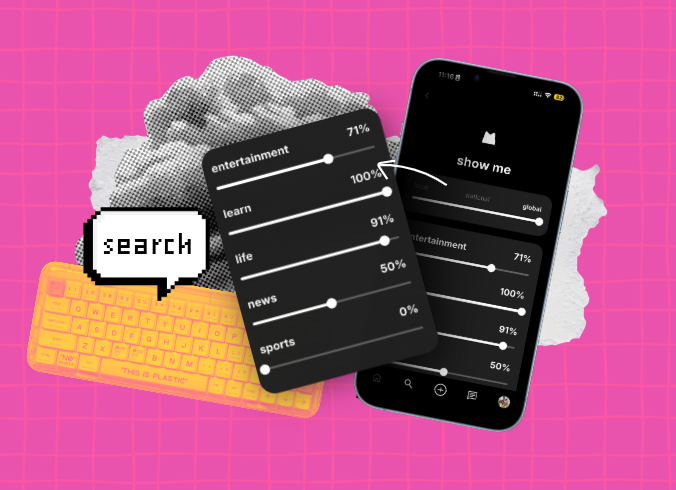
Since Monnett is a social network that doesn’t run on an AI algorithms to suggest content for you, how do you control what you see on Monnett and what gets into your feed?
First, we need to draw a line between the Home page and the Discovery page, as they’re not the same. On the Home you only see content from people you followed (that’s also a reason why it’s empty when you first join the app, you need to follow accounts or invite friends for something to appear there). Also what you see in the Home page will show up chronologically.
The DIscovery page on the other hand, as the name suggest, is a place to discover new people and new content. Slightly different rule apply to what you see there, but the content appears in a chronological order as well. But the question remains, who decides what you see there? Well, it’s YOU.
How to control what you see on Monnett?
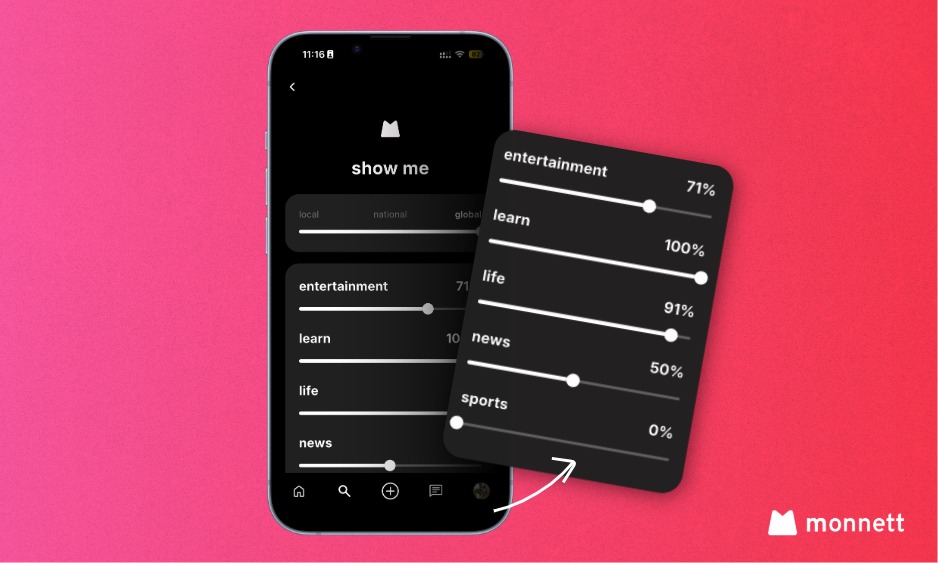
Let me explain how Monnett content works on the Discovery page. You already know that the content appearing there it chronological, but there are two more things that will influence what you see in there. But first, let me show you here it all happens—the “Show Me” panel.
It’s the way to control what goes into your feed. You have the option to choose based on proximity: local, national, global (this feature is currently being re-worked and will be improved in the full version of the app which is coming soon) or categories (which you need to when you post something on Monnett).
Additionally, there’s a toggle to show sensitive content, that’s turned off by default.
With the “Show Me” panel you get to control what goes into your feed, not the opaque algorithms. So let’s get a bit dipper and I’ll show you how to adjust the sliders.
Where to find and how to adjust the “Show Me” panel on Monnett?
You’ll find the “Show Me” panel in the Discovery tab in the upper right corner, the icon sits to the right of the search bar. When you click on it, you’ll be taken to the dedicated page where you can adjust the slides to customise what you see in your Discovery page.
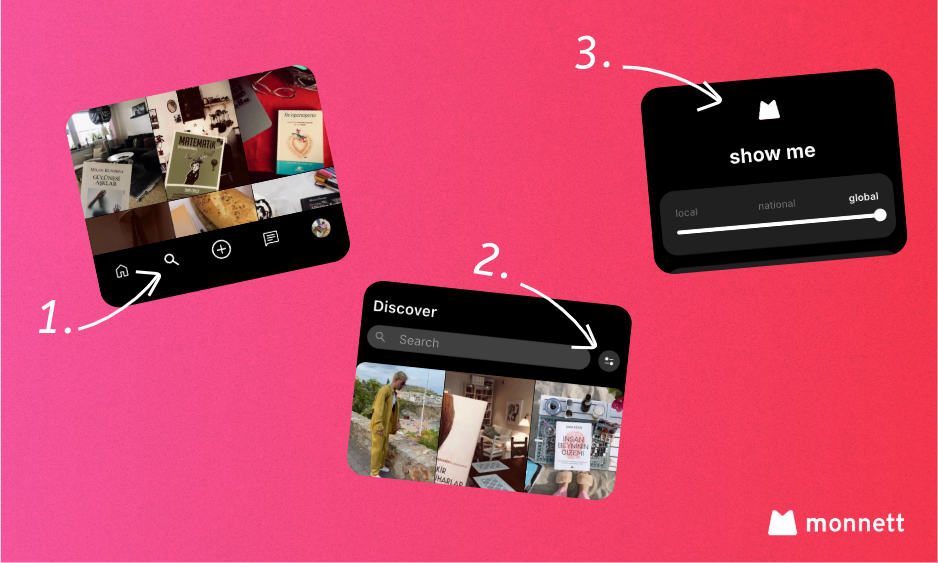
The whole process is quite easy and straightforward, all you need to do is to slid left or right for each category (currently there are 5 main categories: Enterteinment, Learn, Life, News and Sport) to adjust the percentage of content that will appear from each category.
For example: If you’re not really into sports, but you like to see content about learning you can slide the sport category all the way to the left to show 0% and the learn category to the right to show 100%. It means that you won’t see content from the sports category and you’ll see 100% of the content in the learn category. Then if you want just a bit of news you can change it to 50% and posts marked as news will appear less often in your Discovery page.
How else can I search for content on Monnett?
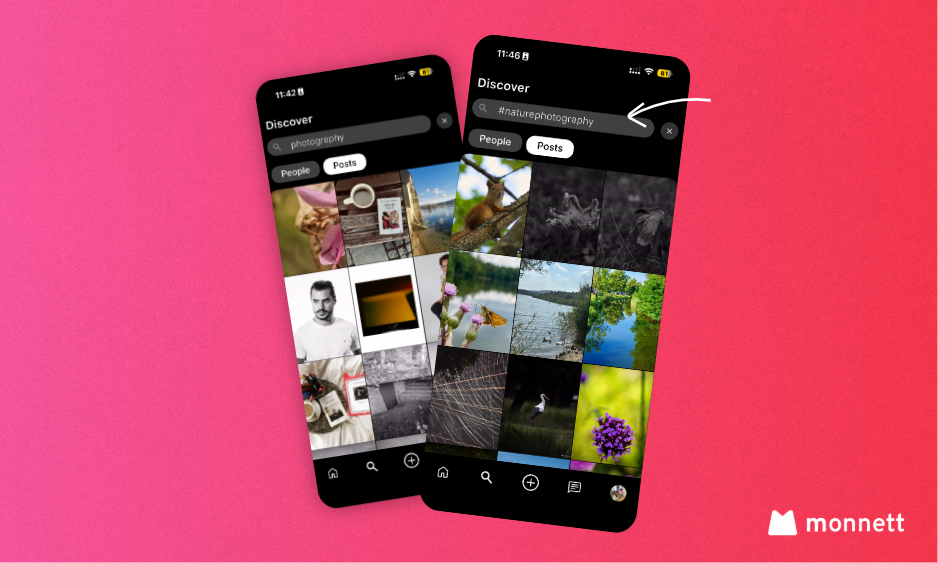
Apart from the “Show Me” panel you can search for a more specific content using the search bar. Currently, all the words in the post captions act like keywords and are searchable. Let me give you an example.
If you’re into photography, you might want to look for phrases like “photography” by going to Discovery > Search, and then typing the keywords. Or alternatively you can look for specific hashtags people add in their description “#naturephotography” and then the search will only look for the keywords like that.
Good news, we’re currently working or a separate hashtag (#) search that will allow you to tag photos and find them under said hashtag.
Running into trouble or have a question we haven’t covered? Our support team is happy to help — just reach out and we’ll get back to you as quickly as we can.
Join 100,000+ people
Be a person, not a user. Sign up and invite your friends to join you!
Related Articles

May 28, 2026

March 9, 2026

May 7, 2026