


How to Delete Your Monnett Account
Published on July 30, 2026
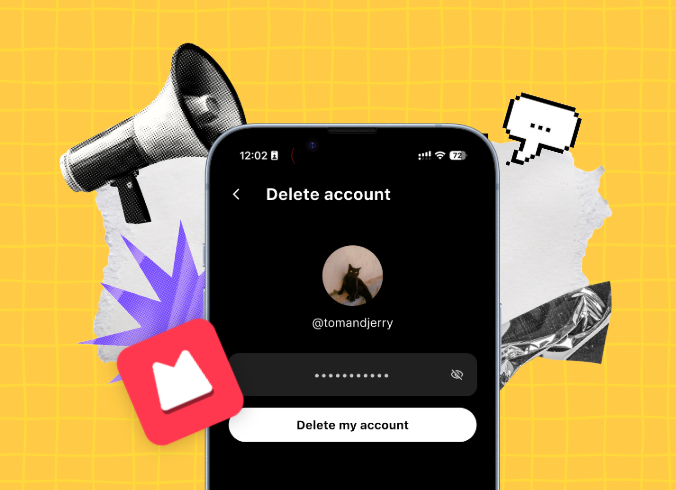
I’ll be very sad to see you go, but one thing we won’t do on Monnett is stop you from deleting your account or make it unnecessarily hard to do so.
That being said, if the reason for deleting your account is some technical issue you can’t solve, please reach out to our support team and we’ll be more than happy to help you. You can contact us here. Moving on!
A step-by-step guide to delete your Monnett account
When you decide to delete your account just go to your profile, you’ll find the button to delete the account in your settings. Here’s exactly what you need to do.
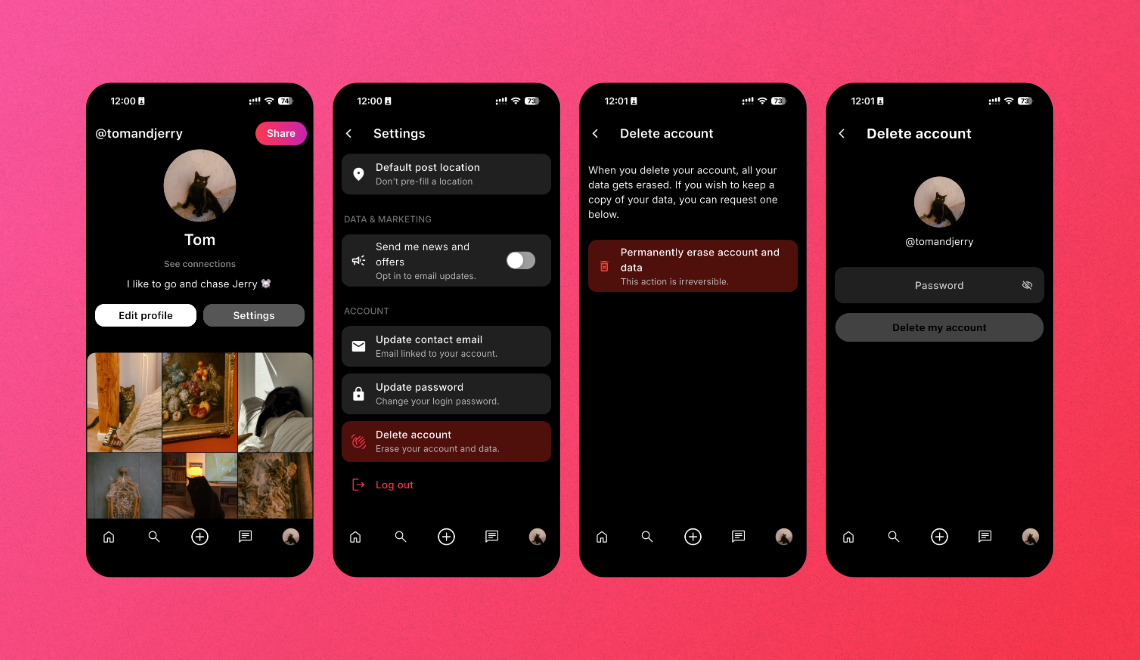
Step-by-step guide to delete your Monnett account
- Go to your account.
- Click on the “Settings”.
- Scroll to the bottom and click on the “Delete account”.
- There you’ll be asked to confirm that you want to “Permanently erase account and data”.
- To confirm your account deletion, we’ll ask you to enter your password.
- Once you do it and click on “Delete my account” your profile will be scheduled for deletion.
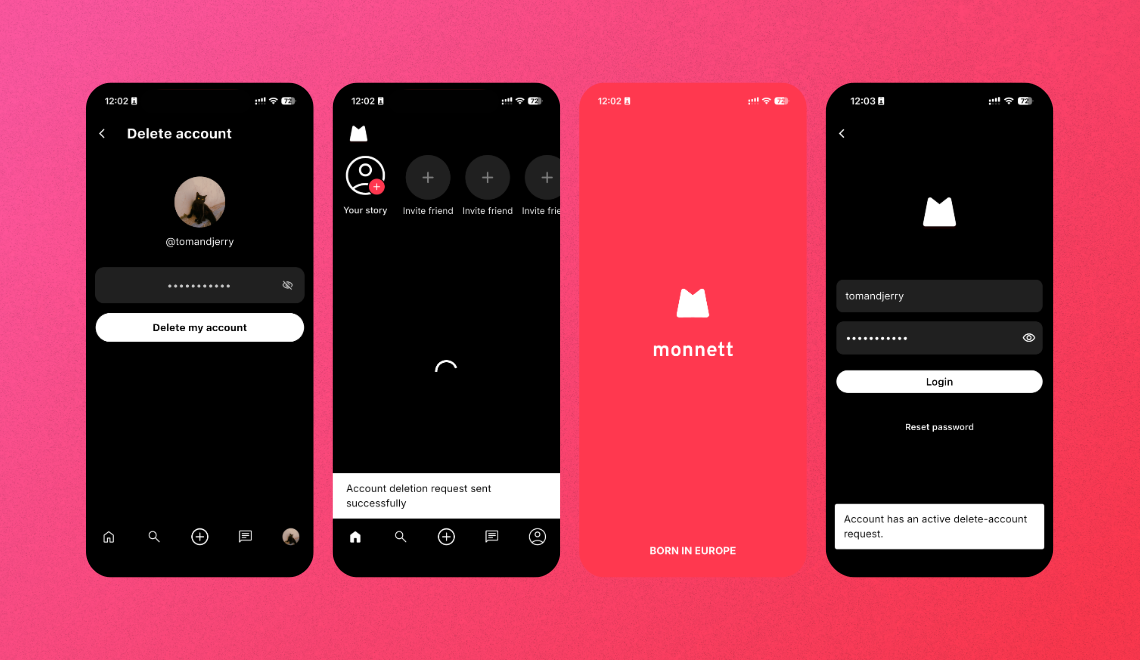
Step-by-step guide to delete your Monnett account
How long will it take to delete my account
Once you request your account to be deleted, it will enter a 30 days period during which your account will wait to be removed along with all your data. Once this period is up, your account will be permanently deleted and all your data will get erased. This action can not be undone.
How to stop your account being deleted
If you initiated account deletion and changed your mind, you can cancel your account being deleted and restore it within the 30 days from your request to remove the account. This will reverse the process before it becomes permanent. To do so, please reach out to our support team.
Why Monnett can’t delete a profile for you
For security reasons, we can’t delete a profile for you. You’ll need to be able to log into your profile to request deletion. If you can’t remember your password or username, please reach out to us for help.
Join 100,000+ people
Be a person, not a user. Sign up and invite your friends to join you!
Related Articles

June 25, 2026
August 28, 2026
September 1, 2026